
jeshua yahwey atherose
Nov 29, 2025, 12:25 AM
Stake attention in this memory
privacy
security
GrapheneOS
Pixel
guidelines
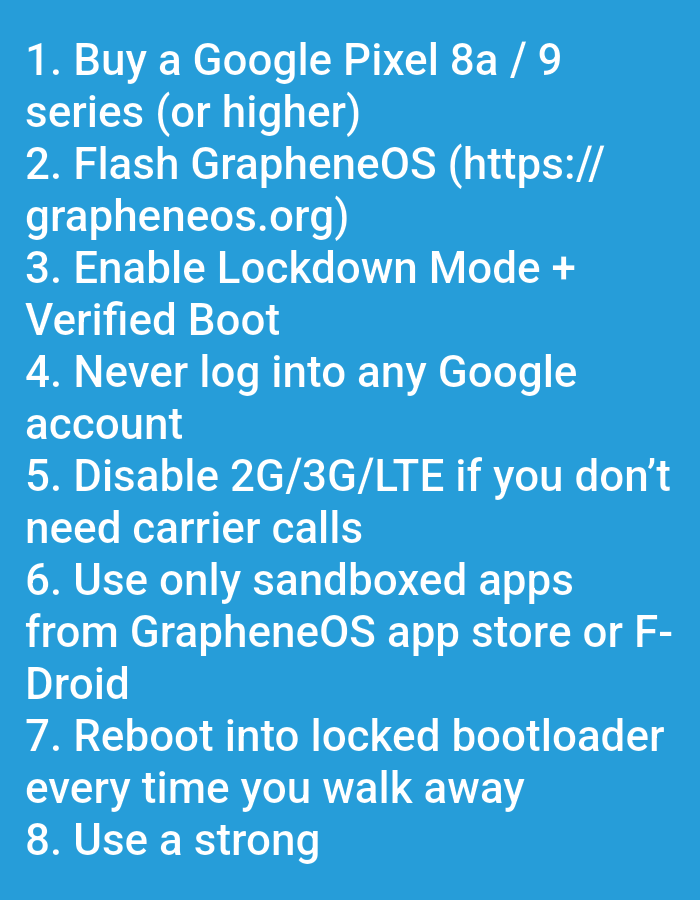
The image lists eight steps to enhance the security and privacy of a smartphone. It begins by suggesting the purchase of a Google Pixel 8a or 9 series phone. It further advises flashing the device with GrapheneOS, enabling Lockdown Mode and Verified Boot, and avoiding logging into any Google account. Additionally, it recommends disabling 2G/3G/LTE if carrier calls are unnecessary, using only sandboxed apps from GrapheneOS app store or F-Droid, rebooting into the locked bootloader whenever the phone is left unattended, and utilizing a strong password.
Loading AttnAds…
transactions
revenues
stakers
Earliest
Latest
Highest stake
No transactions found
More from this user