
Stake attention in this memory
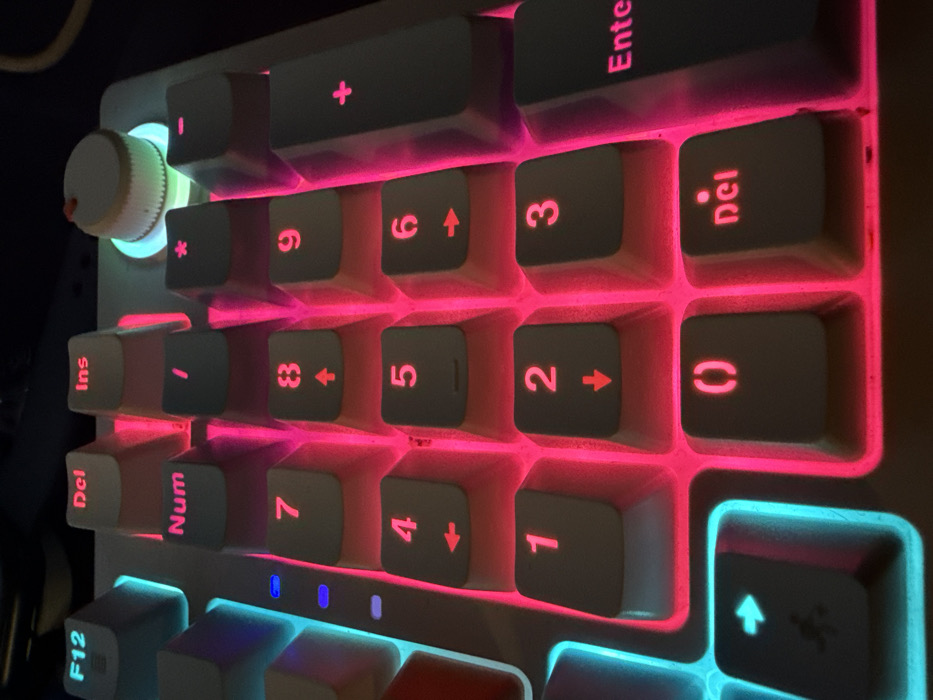
The image displays a close-up, slightly angled view of the right-hand side of a mechanical keyboard, focusing primarily on the numpad and a few adjacent keys. The keyboard features white or light grey keycaps with vibrant RGB backlighting. Most of the numpad keys are illuminated with a bright pink or magenta light. Visible keys include the numbers '0', '1', '2', '3', '4', '5', '6', '7', '8', '9', along with mathematical operators '+', '-', '/', and '*'. Some number keys also feature secondary legends or symbols, such as arrows (e.g., '2' with a down arrow, '4' with a left arrow, '6' with a right arrow, '8' with an up arrow). Other numpad-related keys include 'Enter', 'Del' (for delete, written as "Del"), 'Ins' (for insert), and 'Num' (likely for Num Lock). The 'Del' key on the numpad shows the letters "Del" rotated 90 degrees clockwise, and the '0' key shows parentheses "()". To the far left of the numpad, a rotary knob, likely for volume or other controls, is visible. It is light cream or white in color with a small red marking and is backlit with a soft, glowing light blue or cyan color. This blue/cyan lighting extends to some other keys, including the 'F12' key at the bottom left and an arrow key with what appears to be a Razer logo on it. Small, rectangular blue indicator lights are visible below the 'Num' and '7' keys, indicating active modes such as Num Lock. The keycaps appear to have a matte finish, and the backlighting shines through the legends. The overall environment appears to be dimly lit, making the keyboard's bright illumination stand out prominently. Some minor dust or smudges are visible on the surfaces of the keycaps and in the gaps between them. The perspective is from above, looking down and across the keyboard from left to right.
Loading AttnAds…
No transactions found